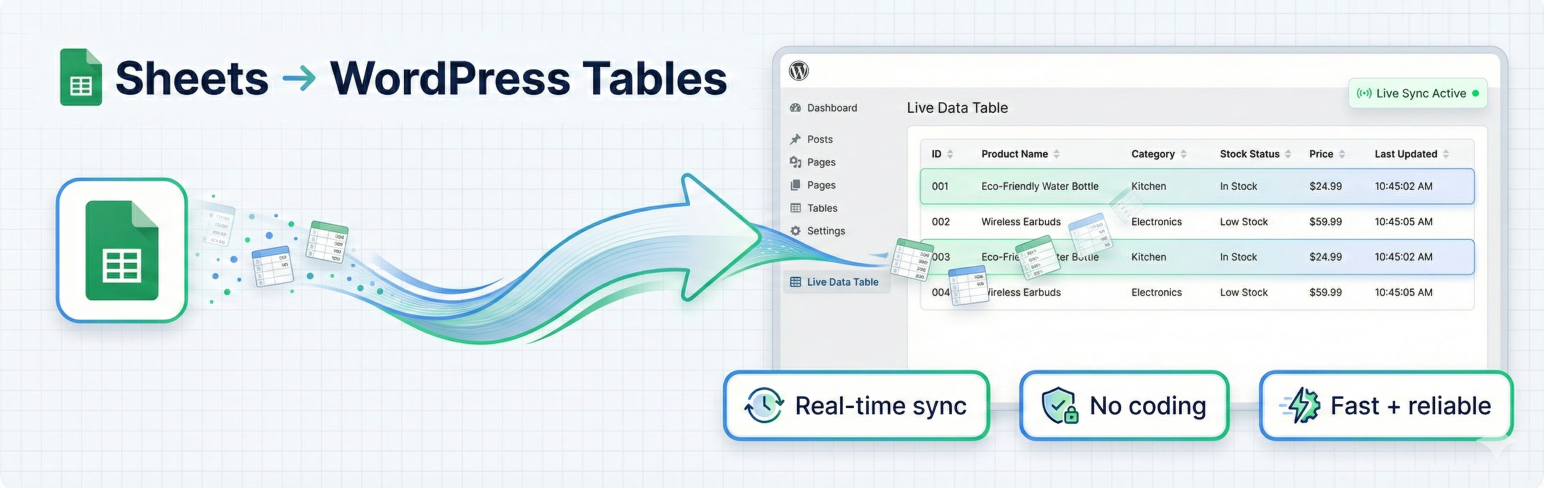
Sheets to Table for Google Sheets Security & Risk Analysis
wordpress.org/plugins/sheets-to-table-live-updateDisplay public Google Sheets as live tables using shortcodes. Fresh data is loaded on every page visit.
Is Sheets to Table for Google Sheets Safe to Use in 2026?
Generally Safe
Score 100/100Sheets to Table for Google Sheets has no known CVEs and is actively maintained. It's a solid choice for most WordPress installations.
The "sheets-to-table-live-update" plugin v1.0 exhibits a generally strong security posture based on the provided static analysis. A significant strength is the complete absence of raw SQL queries, with all 6 utilizing prepared statements, and a high percentage (98%) of outputs being properly escaped. The plugin also demonstrates good practice by implementing nonce and capability checks on its single AJAX handler, effectively limiting its attack surface. Furthermore, the vulnerability history is clear, with no recorded CVEs, which suggests a history of secure development or diligent patching if vulnerabilities were present in the past.
However, a minor concern exists regarding the presence of an external HTTP request. While the number of flows with unsanitized paths is zero, the specific details of this external request are not provided, leaving a potential, albeit small, attack vector if the request is made insecurely or to a malicious endpoint. The absence of taint analysis results for this version also means that deeper, complex vulnerabilities that might not be caught by basic static checks are not evaluated.
Overall, the plugin is well-secured with robust input validation and output sanitization. The lack of historical vulnerabilities and the careful handling of database interactions are commendable. The primary area for potential improvement would be to scrutinize the external HTTP request for any potential security implications.
Key Concerns
- External HTTP request present
Sheets to Table for Google Sheets Security Vulnerabilities
Sheets to Table for Google Sheets Release Timeline
Sheets to Table for Google Sheets Code Analysis
Bundled Libraries
SQL Query Safety
Output Escaping
Sheets to Table for Google Sheets Attack Surface
AJAX Handlers 1
Shortcodes 1
WordPress Hooks 5
Maintenance & Trust
Sheets to Table for Google Sheets Maintenance & Trust
Maintenance Signals
Community Trust
Sheets to Table for Google Sheets Alternatives

OttoKit: All-in-One Automation Platform
suretriggers
Experience the power of automation within WordPress: Connect 1,500+ apps, automate manual tasks, and unlock your full potential. Get started now!

GSheetConnector – CF7 Google Sheets Connector with Real-Time Sync
cf7-google-sheets-connector
Send your Contact Form 7 data directly to your Google Sheets spreadsheet.

Uncanny Automator – Easy Automation, Integration, Webhooks & Workflow Builder Plugin
uncanny-automator
Uncanny Automator is the easiest and most powerful way to connect your WordPress plugins, sites and apps together with powerful automations.

Bit integrations – Form Integration, Webhook, Spreadsheets, CRM, LMS & Email Automation
bit-integrations
Contact Form, Google Sheet, MailChimp, Brevo, Webhook, Zoho CRM Automation and Integration plugin that Connect 360+ platforms

FormsDB – Save Elementor Forms to Google Sheets & Post Type
sb-elementor-contact-form-db
Connect Elementor forms with Google Sheets to sync form entries, or save form submissions in any post type using Elementor Pro or Hello Plus forms.
Sheets to Table for Google Sheets Developer Profile
4 plugins · 3K total installs
How We Detect Sheets to Table for Google Sheets
Patterns used to identify this plugin on WordPress sites during automated security audits and web crawling.
Asset Fingerprints
/wp-content/plugins/sheets-to-table-live-update/assets/vendor/bootstrap/bootstrap.min.css/wp-content/plugins/sheets-to-table-live-update/assets/style.css/wp-content/plugins/sheets-to-table-live-update/assets/vendor/datatables/css/dataTables.bootstrap5.min.css/wp-content/plugins/sheets-to-table-live-update/assets/vendor/datatables/css/responsive.bootstrap5.min.css/wp-content/plugins/sheets-to-table-live-update/assets/table-sorting.css/wp-content/plugins/sheets-to-table-live-update/assets/vendor/bootstrap/bootstrap.bundle.min.js/wp-content/plugins/sheets-to-table-live-update/assets/vendor/datatables/js/dataTables.min.js/wp-content/plugins/sheets-to-table-live-update/assets/vendor/datatables/js/dataTables.bootstrap5.min.js+3 more/wp-content/plugins/sheets-to-table-live-update/assets/vendor/bootstrap/bootstrap.bundle.min.js/wp-content/plugins/sheets-to-table-live-update/assets/vendor/datatables/js/dataTables.min.js/wp-content/plugins/sheets-to-table-live-update/assets/vendor/datatables/js/dataTables.bootstrap5.min.js/wp-content/plugins/sheets-to-table-live-update/assets/vendor/datatables/js/dataTables.responsive.min.js/wp-content/plugins/sheets-to-table-live-update/assets/vendor/datatables/js/responsive.bootstrap5.min.js/wp-content/plugins/sheets-to-table-live-update/assets/table-sorting.jssheets-to-table-live-update/assets/style.css?ver=sheets-to-table-live-update/assets/table-sorting.css?ver=sheets-to-table-live-update/assets/vendor/bootstrap/bootstrap.min.css?ver=sheets-to-table-live-update/assets/vendor/datatables/css/dataTables.bootstrap5.min.css?ver=sheets-to-table-live-update/assets/vendor/datatables/css/responsive.bootstrap5.min.css?ver=sheets-to-table-live-update/assets/vendor/bootstrap/bootstrap.bundle.min.js?ver=sheets-to-table-live-update/assets/vendor/datatables/js/dataTables.min.js?ver=sheets-to-table-live-update/assets/vendor/datatables/js/dataTables.bootstrap5.min.js?ver=sheets-to-table-live-update/assets/vendor/datatables/js/dataTables.responsive.min.js?ver=sheets-to-table-live-update/assets/vendor/datatables/js/responsive.bootstrap5.min.js?ver=sheets-to-table-live-update/assets/table-sorting.js?ver=HTML / DOM Fingerprints
stlu_sortingstlu_is_prostlu_is_adminstlu_feature_toggles