Ultimate Member – Post Status Security & Risk Analysis
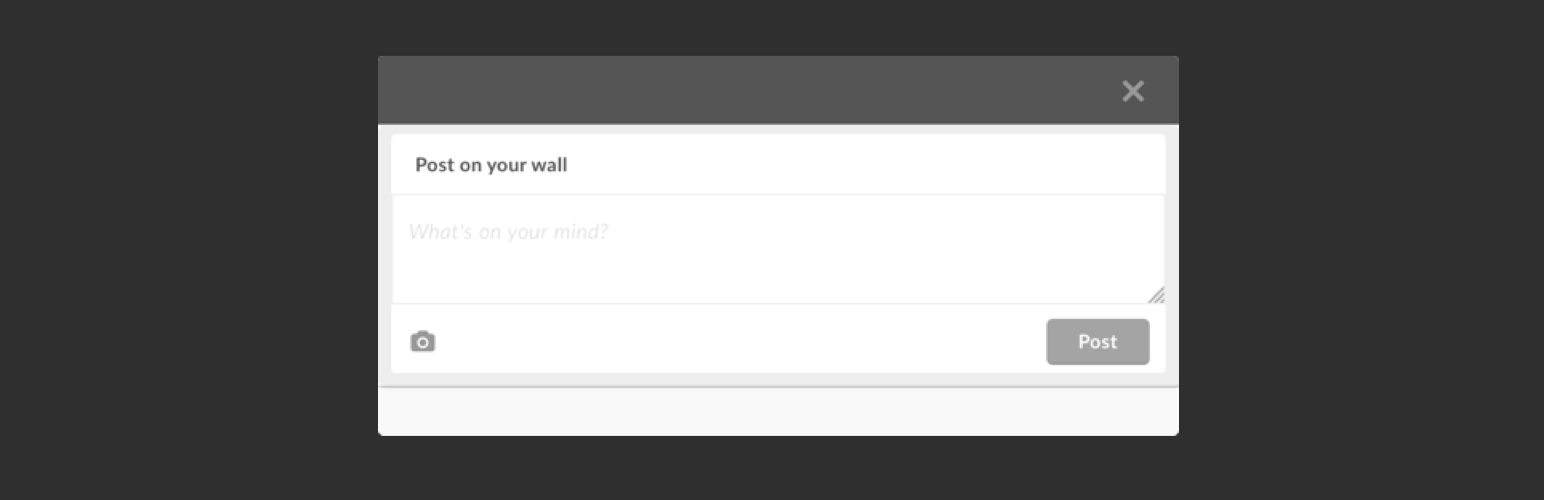
wordpress.org/plugins/ultimate-member-post-statusAdds a shortcode to Ultimate Member that creates a button for a status update modal like Twitter.
Is Ultimate Member – Post Status Safe to Use in 2026?
Generally Safe
Score 85/100Ultimate Member – Post Status has no known CVEs and is actively maintained. It's a solid choice for most WordPress installations.
The "ultimate-member-post-status" v1.0.1 plugin exhibits a mixed security posture. While it shows strengths in avoiding dangerous functions, using prepared statements for all SQL queries, and having no recorded vulnerability history, several significant concerns are present. The plugin has a notable attack surface, with two AJAX handlers and no corresponding authentication checks. Furthermore, only 40% of its output is properly escaped, indicating a risk of cross-site scripting (XSS) vulnerabilities. The absence of nonce checks on AJAX actions is particularly worrying, as it could allow attackers to trigger actions on behalf of legitimate users. The lack of capability checks also broadens the potential for unauthorized access to plugin functionalities.
The static analysis reveals two unprotected AJAX handlers, which are direct entry points for potential attacks. The unescaped output is a significant risk, as user-supplied data could be reflected back to the browser without proper sanitization, leading to XSS. The lack of nonce and capability checks on these AJAX handlers further exacerbates the risk by allowing unauthorized execution of these functions. The plugin's vulnerability history being clear of any past issues is a positive sign, suggesting good development practices in the past, but it does not mitigate the current identified risks.
In conclusion, while the plugin demonstrates some good security practices like using prepared statements for SQL and having no known CVEs, the presence of unprotected AJAX handlers, insufficient output escaping, and a complete lack of nonce and capability checks on critical entry points represent substantial security weaknesses. These issues, if exploited, could lead to unauthorized actions and cross-site scripting, undermining the security of a WordPress site.
Key Concerns
- AJAX handlers without auth checks
- Unescaped output found
- Missing nonce checks
- Missing capability checks
Ultimate Member – Post Status Security Vulnerabilities
Ultimate Member – Post Status Release Timeline
Ultimate Member – Post Status Code Analysis
Output Escaping
Ultimate Member – Post Status Attack Surface
AJAX Handlers 2
Shortcodes 2
WordPress Hooks 1
Maintenance & Trust
Ultimate Member – Post Status Maintenance & Trust
Maintenance Signals
Community Trust
Ultimate Member – Post Status Alternatives

Shortcodes Ultimate – Content Elements
shortcodes-ultimate
Add 50+ shortcodes with live preview for tabs, accordions, buttons, FAQs, sliders and boxes. Works in Block Editor and Classic Editor.

Column Shortcodes
column-shortcodes
Adds shortcodes to easily create columns in your posts or pages.

Apollo13 Framework Extensions
apollo13-framework-extensions
Adds custom post types, shortcodes and some features that are used in themes built on Apollo13 Framework.

Futurio Extra
futurio-extra
Futurio Extra add extra features to Futurio theme like widgets, WooCommerce options, Elementor widgets, one click demo import and much more.

ND Shortcodes
nd-shortcodes
The plugin adds some useful components to your page builder ( Elementor or WP Bakery Page Builder ). All components are full responsive and retina rea …
Ultimate Member – Post Status Developer Profile
1 plugin · 10 total installs
How We Detect Ultimate Member – Post Status
Patterns used to identify this plugin on WordPress sites during automated security audits and web crawling.
Asset Fingerprints
/wp-content/plugins/ultimate-member-post-status/assets/css/um-post-status.css/wp-content/plugins/ultimate-member-post-status/assets/js/um-post-status.js/wp-content/plugins/ultimate-member-post-status/assets/js/override/um-activity.js/wp-content/plugins/ultimate-member-post-status/assets/js/um-post-status.js/wp-content/plugins/ultimate-member-post-status/assets/js/override/um-activity.jsHTML / DOM Fingerprints
um-post-wallum-post-wall-btnum-post-wall-modal-footerUM_wall_img_upload<div class="um-post-wall">
<a class="um-post-wall-btn um-button" href="#"><span></span></a>
</div>