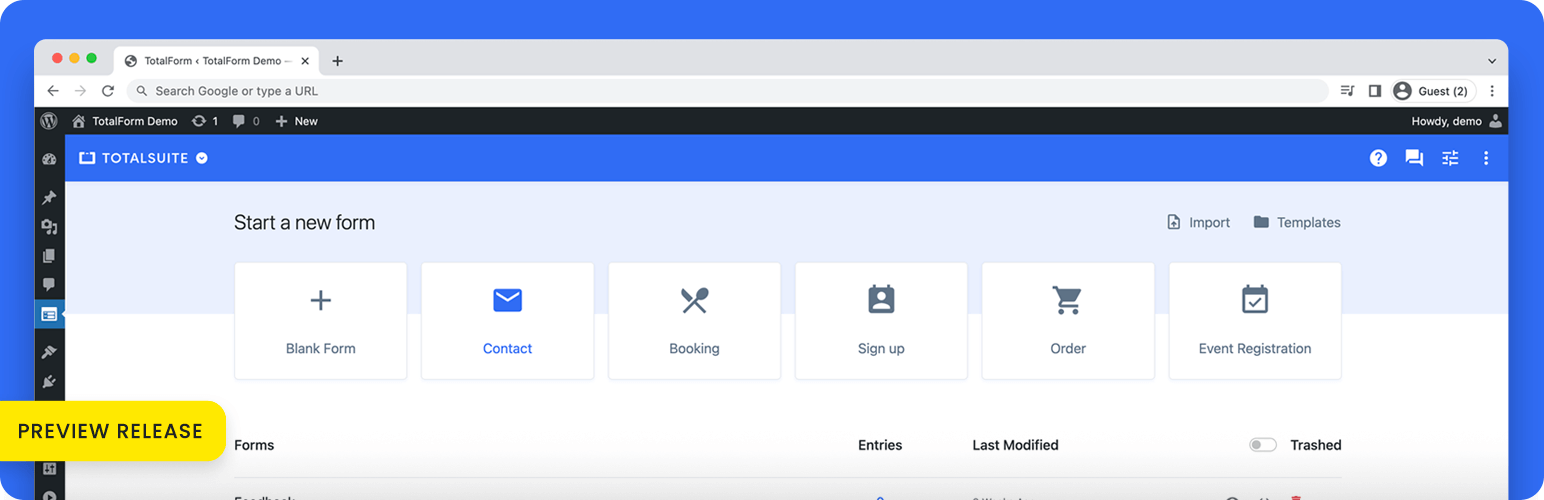
Contact Form by TotalForm – Next-gen Form Builder for WordPress Security & Risk Analysis
wordpress.org/plugins/totalformTotalForm is the next-gen form solution for WordPress. Contact form, registration form, order form, you name it.
Is Contact Form by TotalForm – Next-gen Form Builder for WordPress Safe to Use in 2026?
Generally Safe
Score 85/100Contact Form by TotalForm – Next-gen Form Builder for WordPress has no known CVEs and is actively maintained. It's a solid choice for most WordPress installations.
Based on the static analysis, "totalform" v1.2.0 presents a generally good security posture. The absence of any AJAX handlers, REST API routes, shortcodes, or cron events with unprotected entry points significantly reduces the plugin's attack surface. The code signals also indicate strong adherence to secure coding practices, with a high percentage of outputs properly escaped and all SQL queries utilizing prepared statements. The presence of nonce and capability checks further reinforces the security of the limited code paths. The plugin also boasts a clean vulnerability history with no known CVEs, suggesting a mature and well-maintained codebase. However, the presence of file operations and external HTTP requests, while not necessarily insecure on their own, represent potential areas where vulnerabilities could arise if not handled with extreme care. The taint analysis showing zero flows, while positive, may also be a consequence of the limited attack surface analyzed. Overall, "totalform" v1.2.0 appears to be a securely developed plugin, but ongoing vigilance regarding its file operations and external requests is recommended.
Key Concerns
- One file operation found
- One external HTTP request found
- 95% output escaping (4% not escaped)
Contact Form by TotalForm – Next-gen Form Builder for WordPress Security Vulnerabilities
Contact Form by TotalForm – Next-gen Form Builder for WordPress Release Timeline
Contact Form by TotalForm – Next-gen Form Builder for WordPress Code Analysis
Output Escaping
Contact Form by TotalForm – Next-gen Form Builder for WordPress Attack Surface
WordPress Hooks 10
Maintenance & Trust
Contact Form by TotalForm – Next-gen Form Builder for WordPress Maintenance & Trust
Maintenance Signals
Community Trust
Contact Form by TotalForm – Next-gen Form Builder for WordPress Alternatives

Giraforms – Contact Form, Booking Form, Survey & Custom Form Builder for Block Editor
giraforms
Build fast, GDPR-friendly forms in Gutenberg. Create contact, booking and survey forms with native blocks, local submissions, CSV export and strong an …

Ninja Forms – The Contact Form Builder That Grows With You
ninja-forms
The 100% beginner friendly WordPress form builder. Drag & drop form fields to build beautiful, professional contact forms in minutes.

Everest Forms – Contact Form, Payment Form, Quiz, Survey & Custom Form Builder with AI
everest-forms
AI form builder for WordPress. Build contact forms, payment forms, quiz, survey & conversational forms with built-in AI or drag & drop builder.

Booking Calendar
booking
WP Booking Calendar plugin for full-day bookings, time-slot appointments, rentals & events. Accept bookings and inquiries with flexible contact forms

Form Maker by 10Web – Mobile-Friendly Drag & Drop Contact Form Builder
form-maker
Form Maker is a user-friendly contact form builder that allows to create forms for any purpose, from a simple contact form to multi page survey forms
Contact Form by TotalForm – Next-gen Form Builder for WordPress Developer Profile
5 plugins · 2K total installs
How We Detect Contact Form by TotalForm – Next-gen Form Builder for WordPress
Patterns used to identify this plugin on WordPress sites during automated security audits and web crawling.
Asset Fingerprints
/wp-content/plugins/totalform/assets/admin/runtime.js/wp-content/plugins/totalform/assets/admin/polyfills.js/wp-content/plugins/totalform/assets/admin/vendor.js/wp-content/plugins/totalform/assets/admin/styles.css/wp-content/plugins/totalform/assets/admin/main.js/wp-content/plugins/totalform/assets/js/app.js/wp-content/plugins/totalform/assets/admin/runtime.js/wp-content/plugins/totalform/assets/admin/polyfills.js/wp-content/plugins/totalform/assets/admin/vendor.js/wp-content/plugins/totalform/assets/admin/main.js/wp-content/plugins/totalform/assets/js/app.jstotalform/assets/admin/runtime.js?ver=totalform/assets/admin/polyfills.js?ver=totalform/assets/admin/vendor.js?ver=totalform/assets/admin/styles.css?ver=totalform/assets/admin/main.js?ver=totalform/assets/js/app.js?ver=HTML / DOM Fingerprints
data-component="totalform-app"window.totalformConfig/wp-json/totalform/v1