TopPosts for Google Analytics Security & Risk Analysis
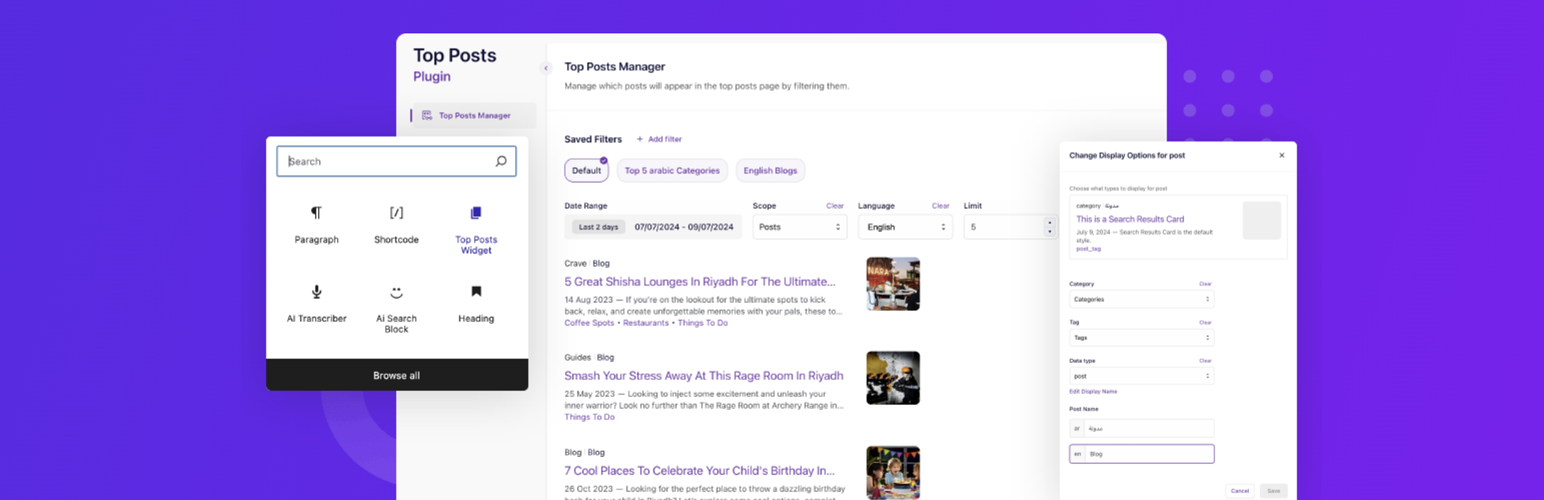
wordpress.org/plugins/topposts-for-google-analyticsTopPosts for Google Analytics relies on your site's analytics to identify and showcase your website's most visited posts.
Is TopPosts for Google Analytics Safe to Use in 2026?
Generally Safe
Score 100/100TopPosts for Google Analytics has no known CVEs and is actively maintained. It's a solid choice for most WordPress installations.
The plugin "topposts-for-google-analytics" v1.4.2 exhibits a generally good security posture with several positive indicators. The absence of known CVEs and a clean vulnerability history suggest a history of diligent security practices. Code analysis reveals robust use of prepared statements for SQL queries and a very high percentage of properly escaped output, minimizing risks of SQL injection and XSS. The limited attack surface, with no unprotected AJAX handlers or REST API routes, is also a significant strength.
However, there are areas for improvement. The presence of the `unserialize` function without any accompanying taint analysis results or apparent sanitization checks presents a potential risk. If user-controlled data is passed to `unserialize`, it could lead to remote code execution or denial-of-service vulnerabilities. Additionally, the complete lack of nonce checks, even though the attack surface is currently small and seemingly protected by capability checks, is a missed opportunity for an important layer of defense against CSRF attacks, especially as the plugin evolves. The single external HTTP request also warrants a closer look to ensure it's handled securely and doesn't expose the site to risks from external services.
In conclusion, the plugin demonstrates a strong foundation in secure coding with excellent output escaping and SQL handling. The primary concerns revolve around the potential risks associated with `unserialize` and the absence of nonce checks, which, while not currently exploited due to a limited attack surface, represent potential weaknesses. Addressing these specific points would further enhance the plugin's security.
Key Concerns
- Use of unserialize without taint analysis
- Missing nonce checks
- External HTTP request without explicit check
TopPosts for Google Analytics Security Vulnerabilities
TopPosts for Google Analytics Release Timeline
TopPosts for Google Analytics Code Analysis
Dangerous Functions Found
Output Escaping
TopPosts for Google Analytics Attack Surface
Shortcodes 2
WordPress Hooks 9
Maintenance & Trust
TopPosts for Google Analytics Maintenance & Trust
Maintenance Signals
Community Trust
TopPosts for Google Analytics Alternatives

Most Popular Post Widget
most-popular-post
Shwon your most popular/viewed post with view count

Toplytics
toplytics
Displays the most visited posts as a widget using data from Google Analytics. Designed to be used under high-traffic or low server resources.

Top Posts for Google Analytics by Asentechllc
ga-top-posts
Display most read articles from fetching google analytics API

WP-xPerts Popular Posts
wp-xperts-popular-posts
Display Most popular posts or most viewed posts on your blog using widget in sidebar, it also supports custom post types

MonsterInsights – Google Analytics Dashboard for WordPress (Website Stats Made Easy)
google-analytics-for-wordpress
The best free Google Analytics plugin for WordPress. See how visitors find and use your website so you can grow your business with powerful analytics.
TopPosts for Google Analytics Developer Profile
2 plugins · 0 total installs
How We Detect TopPosts for Google Analytics
Patterns used to identify this plugin on WordPress sites during automated security audits and web crawling.
Asset Fingerprints
/wp-content/plugins/topposts-for-google-analytics/assets/build/style-settings.css/wp-content/plugins/topposts-for-google-analytics/assets/build/settings.css/wp-content/plugins/topposts-for-google-analytics/assets/build/settings.js/wp-content/plugins/topposts-for-google-analytics/assets/build/settings.jstopposts-for-google-analytics/assets/build/style-settings.css?ver=topposts-for-google-analytics/assets/build/settings.css?ver=topposts-for-google-analytics/assets/build/settings.js?ver=HTML / DOM Fingerprints
topPosts-settings-main-styles-topPosts-settings--styles-topPostsDatatopPostsRestAPItopPostsI18ntpga