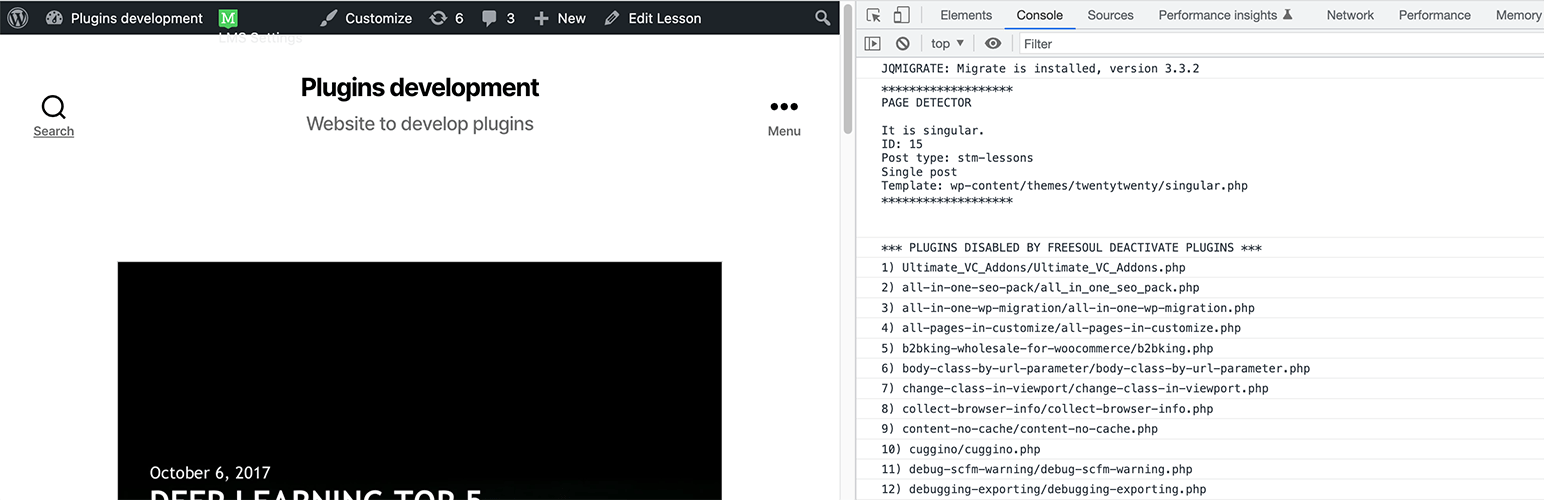
Page Detector – Check the template file of the current page Security & Risk Analysis
wordpress.org/plugins/page-detectorIt detects what kind of page you are visiting. Useful for debugging and problem solving.
Is Page Detector – Check the template file of the current page Safe to Use in 2026?
Generally Safe
Score 100/100Page Detector – Check the template file of the current page has no known CVEs and is actively maintained. It's a solid choice for most WordPress installations.
The "page-detector" v0.0.2 plugin exhibits a strong security posture based on the provided static analysis. The absence of any identified dangerous functions, SQL injection vulnerabilities, file operations, or external HTTP requests is highly commendable. Crucially, all SQL queries are prepared, and all output is properly escaped, indicating adherence to core secure coding practices for preventing common web vulnerabilities. The plugin also appears to have no known historical vulnerabilities, which suggests a low likelihood of latent security flaws.
However, the analysis reveals a significant lack of security checks. There are no nonces or capability checks implemented across the entire plugin. While the current attack surface is reported as zero, this zero-attack surface is not due to robust security measures but rather the apparent absence of any functional entry points (AJAX, REST API, shortcodes, cron). If the plugin were to be expanded or have functionality added without corresponding security checks, it would immediately become vulnerable. The taint analysis also reported zero flows, but this might be a consequence of the limited attack surface and lack of exploitable code paths within this version.
In conclusion, the "page-detector" v0.0.2 is currently secure due to its minimal functionality and strict adherence to basic secure coding principles in the limited code present. Its strength lies in its lack of known vulnerabilities and careful handling of existing code elements. The primary weakness is the complete absence of security checks like nonces and capability checks. This makes the plugin inherently risky if its functionality is ever expanded or if it interacts with user-provided data in the future without these essential safeguards.
Key Concerns
- No nonce checks implemented
- No capability checks implemented
Page Detector – Check the template file of the current page Security Vulnerabilities
Page Detector – Check the template file of the current page Release Timeline
Page Detector – Check the template file of the current page Code Analysis
Output Escaping
Page Detector – Check the template file of the current page Attack Surface
WordPress Hooks 4
Maintenance & Trust
Page Detector – Check the template file of the current page Maintenance & Trust
Maintenance Signals
Community Trust
Page Detector – Check the template file of the current page Alternatives

Freesoul Deactivate Plugins – Disable plugins on individual WordPress pages
freesoul-deactivate-plugins
Load plugins only where you need them. No bloat, no conflicts, more speed. Deactivate plugins where they don't add anything useful.

Fatal Error Notify
fatal-error-notify
Receive email notifications when errors occur on your WordPress site.

WP Safe Mode
wp-safe-mode
Disable plugins or switch themes for just you or the whole site for debugging, troubleshooting or accessing and restoring a broken website.

Debug Bar Console
debug-bar-console
Adds a PHP/SQL console to the Debug Bar. Requires the Debug Bar plugin.

Debug Log Viewer
debug-log-viewer
Effortlessly view, search, filter and manage your WordPress debug.log in the admin dashboard. Real-time monitoring and email alerts
Page Detector – Check the template file of the current page Developer Profile
58 plugins · 26K total installs
How We Detect Page Detector – Check the template file of the current page
Patterns used to identify this plugin on WordPress sites during automated security audits and web crawling.
Asset Fingerprints
/wp-content/plugins/page-detector/page-detector.phpHTML / DOM Fingerprints
page-detector-settsid="page-detector-js"page_detector_logpage_detector_template