p5 : Plenty of Perishable Passwords for Protected Posts Security & Risk Analysis
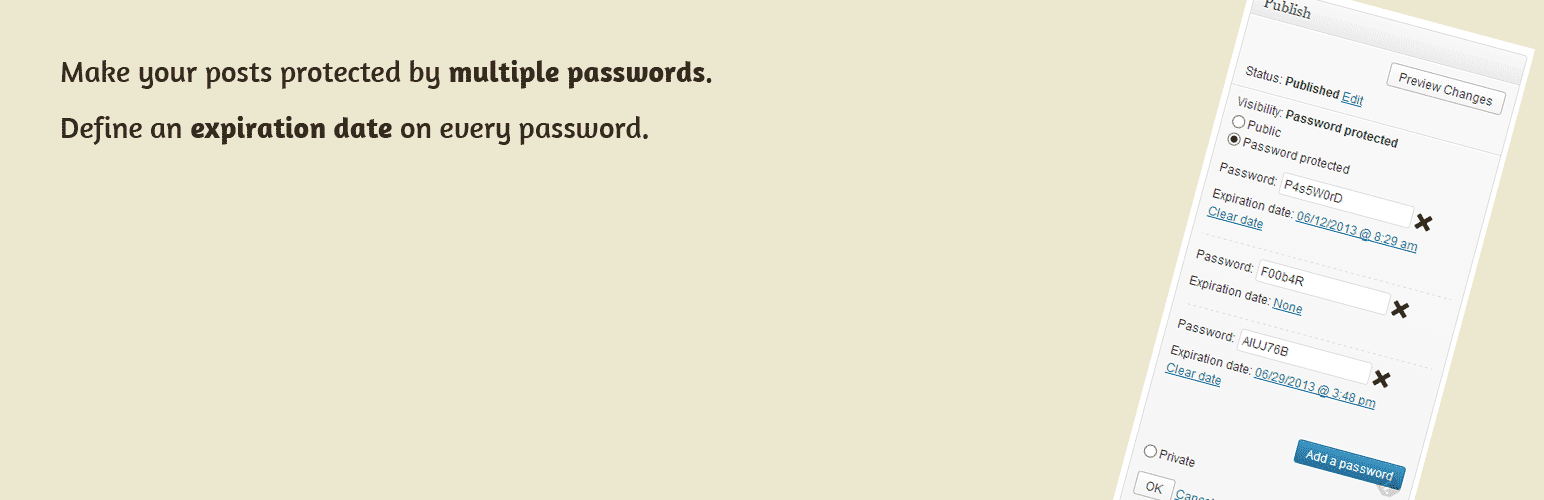
wordpress.org/plugins/p5Specify multiple passwords for pages / posts / custom post types. An expiration date can be set for each password.
Is p5 : Plenty of Perishable Passwords for Protected Posts Safe to Use in 2026?
Generally Safe
Score 85/100p5 : Plenty of Perishable Passwords for Protected Posts has no known CVEs and is actively maintained. It's a solid choice for most WordPress installations.
The p5 plugin v1.4 presents a mixed security posture. While it shows some good practices, such as a relatively low number of total entry points and a good percentage of SQL queries using prepared statements, there are significant concerns regarding authentication. The plugin has two AJAX handlers, and critically, both of them lack any authentication checks. This creates a substantial attack surface where unauthorized users could potentially trigger plugin functionality. Furthermore, the taint analysis revealed one flow with an unsanitized path, which, although not classified as critical or high severity in this analysis, represents a potential vector for attackers if the flow involves user-supplied input that is not properly validated or escaped. The plugin's vulnerability history is clean, with no recorded CVEs, which is a positive indicator. However, this absence of history, coupled with the identified authentication flaws and unsanitized path, means that the plugin has not been rigorously tested against common exploit vectors, and the lack of auth checks makes it a prime target.
In conclusion, the p5 plugin v1.4 has strengths in its SQL handling and lack of known vulnerabilities. However, the complete absence of authentication checks on its AJAX endpoints is a severe weakness that significantly elevates its risk profile. The identified unsanitized path, while currently low severity, also warrants attention. Developers should prioritize implementing robust authentication and authorization for all entry points, especially AJAX handlers, and ensuring thorough input sanitization and output escaping to mitigate these risks.
Key Concerns
- AJAX handlers without auth checks
- Flow with unsanitized path
- No nonce checks on AJAX
- Low output escaping percentage
p5 : Plenty of Perishable Passwords for Protected Posts Security Vulnerabilities
p5 : Plenty of Perishable Passwords for Protected Posts Release Timeline
p5 : Plenty of Perishable Passwords for Protected Posts Code Analysis
SQL Query Safety
Output Escaping
Data Flow Analysis
p5 : Plenty of Perishable Passwords for Protected Posts Attack Surface
AJAX Handlers 2
WordPress Hooks 7
Scheduled Events 1
Maintenance & Trust
p5 : Plenty of Perishable Passwords for Protected Posts Maintenance & Trust
Maintenance Signals
Community Trust
p5 : Plenty of Perishable Passwords for Protected Posts Alternatives

Protected Posts Logout Button
protected-posts-logout-button
Automatically adds a logout button to your password protected content.

Better Protected Password Pages
better-protected-password-pages
Improve the default WordPress password-protected content experience with global settings and per-content overrides.

Kadence Security – Password, Two Factor Authentication, and Brute Force Protection
better-wp-security
Harden your site security with Login Security, Two-Factor Authentication (2FA), Vulnerability Scanner, Firewall, and more. Formerly iThemes Security.

Password Protected — Lock Entire Site, Pages, Posts, Categories, and Partial Content
password-protected
Protect your WordPress site, pages, posts, WooCommerce products, and categories with single or multiple passwords.

Temporary Login Without Password
temporary-login-without-password
Create self-expiring, temporary admin accounts. Easily share direct login links (no need for username/password) with your developers or editors.
p5 : Plenty of Perishable Passwords for Protected Posts Developer Profile
4 plugins · 170 total installs
How We Detect p5 : Plenty of Perishable Passwords for Protected Posts
Patterns used to identify this plugin on WordPress sites during automated security audits and web crawling.
Asset Fingerprints
/wp-content/plugins/p5/js/p5_admin.js/wp-content/plugins/p5/css/p5_admin.css/wp-content/plugins/p5/js/p5_admin.jsHTML / DOM Fingerprints
p5-sectionp5_postpasswordsp5_postpasswordp5-section-footerid="p5-section"id="p5_postpasswords"id="p5_add_password"class="p5_postpassword"name="p5[delete]"name="p5[password]"+1 morep5_ajaxurl