My Desktop – Manage your site from a web desktop Security & Risk Analysis
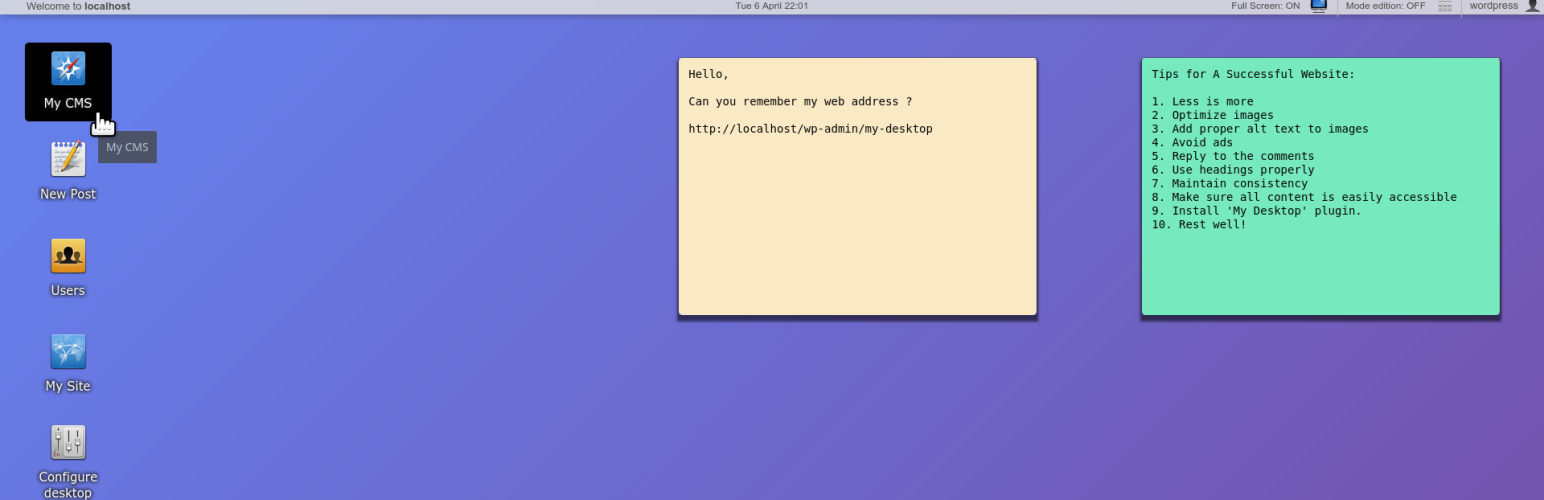
wordpress.org/plugins/my-desktopManage your site from a web desktop. Do multitasking with windows, click icons, use notes. Jump to any place in your wp-admin quickly.
Is My Desktop – Manage your site from a web desktop Safe to Use in 2026?
Generally Safe
Score 85/100My Desktop – Manage your site from a web desktop has no known CVEs and is actively maintained. It's a solid choice for most WordPress installations.
The "my-desktop" plugin version 1.2 exhibits a generally strong security posture based on the provided static analysis. It demonstrates a complete absence of identified attack vectors such as unprotected AJAX handlers, REST API routes, shortcodes, or cron events. Furthermore, the code signals indicate good development practices with 100% of SQL queries utilizing prepared statements and a reasonable 69% of output escaping, though this could be improved. The plugin also correctly implements capability checks, though it lacks nonce checks on its entry points, which is a potential concern for certain types of attacks if any entry points were indeed present.
Despite the absence of a large attack surface and a clean vulnerability history with no known CVEs, the lack of nonce checks on its (currently zero) entry points represents a weakness. If any new entry points were introduced in future versions, they would be unprotected by nonce validation. The taint analysis showing zero flows, while positive, could be influenced by the limited number of flows analyzed or the absence of complex data manipulation within the plugin's scope.
In conclusion, "my-desktop" v1.2 appears to be a secure plugin due to its minimal attack surface and absence of critical code signals. The presence of capability checks is a positive sign. However, the missing nonce checks on its entry points, even if currently unused, is a notable area for improvement to ensure robust security against potential future vulnerabilities.
Key Concerns
- Missing nonce checks on entry points
- Output escaping not fully implemented (69%)
My Desktop – Manage your site from a web desktop Security Vulnerabilities
My Desktop – Manage your site from a web desktop Release Timeline
My Desktop – Manage your site from a web desktop Code Analysis
SQL Query Safety
Output Escaping
My Desktop – Manage your site from a web desktop Attack Surface
WordPress Hooks 1
Maintenance & Trust
My Desktop – Manage your site from a web desktop Maintenance & Trust
Maintenance Signals
Community Trust
My Desktop – Manage your site from a web desktop Alternatives

Neura Task Manager
neura-task-manager
Task management for WordPress admin with assignments, statuses, and reward points.

WP phpMyAdmin
wp-phpmyadmin-extension
[ ✅ 𝐒𝐄𝐂𝐔𝐑𝐄 𝐏𝐋𝐔𝐆𝐈𝐍𝐒 𝐵𝓎 𝒫𝓊𝓋𝑜𝓍 ] phpMyAdmin - Database Browser & Manager (for MySQL & MariaDB)

Admin Notices Manager
admin-notices-manager
Better manage admin notices & never miss important developer messages!

Better Plugin Compatibility Control
better-plugin-compatibility-control
Adds version compatibility info to the plugins page to inform the admin at a glance if a plugin is compatible with the current WP and PHP version.

Remote Website Management by Watchful
watchful
A web developers toolbox for remotely managing and monitoring tens, hundreds, or thousands of WordPress websites at once.
My Desktop – Manage your site from a web desktop Developer Profile
3 plugins · 100 total installs
How We Detect My Desktop – Manage your site from a web desktop
Patterns used to identify this plugin on WordPress sites during automated security audits and web crawling.
Asset Fingerprints
/wp-content/plugins/my-desktop/build/assets/desktop.js/wp-content/plugins/my-desktop/build/assets/desktop.css/wp-content/plugins/my-desktop/build/assets/desktop.jsmy-desktop/build/assets/desktop.css?ver=my-desktop/build/assets/desktop.js?ver=HTML / DOM Fingerprints
my-desktop-appmy-desktop-windowmy-desktop-iconmy-desktop-widgetmy-desktop-menumy-desktop-panelmy-desktop-toolbardata-desktop-widget-iddata-desktop-widget-typeMyDesktop/wp-json/my-desktop/v1/widget