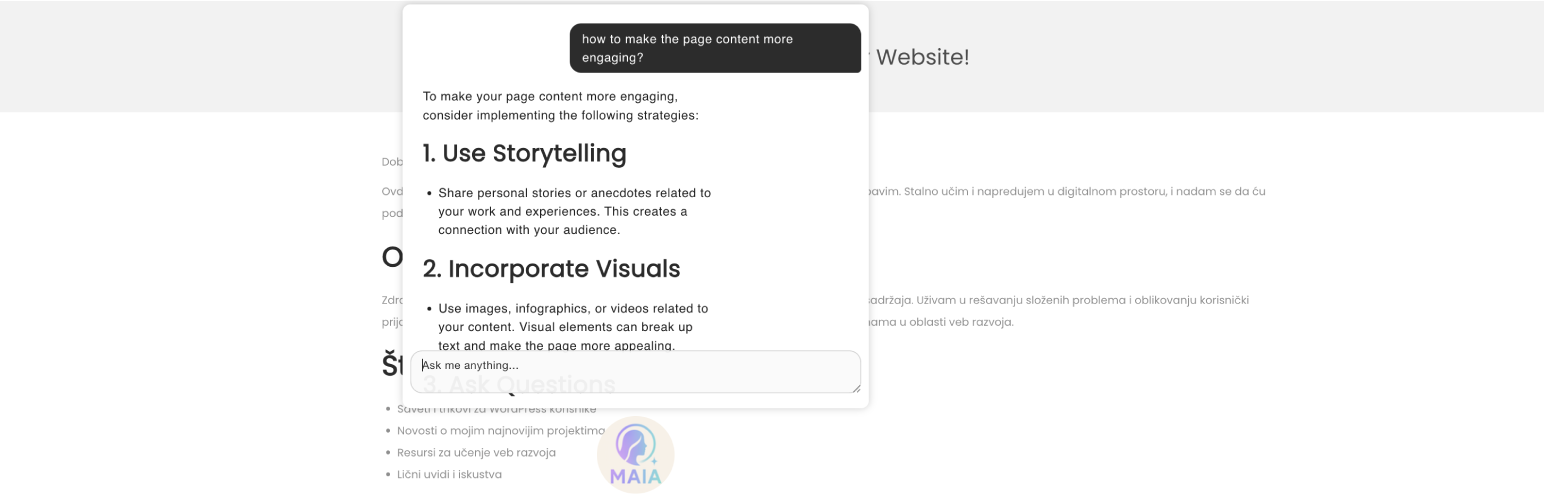
MAIA – Multipurpose AI Assistant Security & Risk Analysis
wordpress.org/plugins/maia-multipurpose-ai-assistantA free WordPress plugin that provides a multipurpose AI assistant for content creation and website management. Powered by Puter.com free AI.
Is MAIA – Multipurpose AI Assistant Safe to Use in 2026?
Generally Safe
Score 92/100MAIA – Multipurpose AI Assistant has no known CVEs and is actively maintained. It's a solid choice for most WordPress installations.
The static analysis of the "maia-multipurpose-ai-assistant" v0.2 plugin indicates a strong adherence to security best practices. The absence of any identified AJAX handlers, REST API routes, shortcodes, or cron events with unprotected entry points suggests a minimal attack surface. Furthermore, the code signals report no dangerous functions, all SQL queries utilizing prepared statements, and all outputs being properly escaped. The lack of file operations, external HTTP requests, nonce checks, and capability checks, while potentially indicating limited functionality, also removes common vectors for exploitation. The taint analysis reporting zero flows with unsanitized paths further strengthens this positive assessment.
This plugin's vulnerability history is completely clear, with no recorded CVEs, critical, high, medium, or low severity vulnerabilities. This pattern of zero past vulnerabilities, combined with the current clean static analysis, suggests a well-developed and secure codebase. However, it is important to note that the absence of any identified entry points or specific code signals in the static analysis might also suggest that the plugin has very limited functionality or is perhaps in an incomplete development state. While the current security posture is excellent, a more robust feature set might introduce new security considerations in future versions.
In conclusion, based on the provided data, the "maia-multipurpose-ai-assistant" v0.2 plugin exhibits an excellent security posture. There are no immediate or apparent vulnerabilities detected through static analysis, and its historical record is clean. The developers appear to have implemented robust security measures where functionality exists. The primary "weakness" is the apparent lack of significant functionality, which might be a temporary state, but it currently translates to a very low-risk plugin.
MAIA – Multipurpose AI Assistant Security Vulnerabilities
MAIA – Multipurpose AI Assistant Release Timeline
MAIA – Multipurpose AI Assistant Code Analysis
MAIA – Multipurpose AI Assistant Attack Surface
WordPress Hooks 4
Maintenance & Trust
MAIA – Multipurpose AI Assistant Maintenance & Trust
Maintenance Signals
Community Trust
MAIA – Multipurpose AI Assistant Alternatives

AI Chatbot for WordPress by Customerly
customerly
AI Chatbot to support customers, create engaging messages and send automated emails.

AI24 Assistant Integrator
ai24-assistant-integrator
Easily integrate OpenAI assistants into your WordPress site for enhanced user interaction and support.

Instant AI Chatbot
ultimo-bots
Ultimo Bots helps you add a powerful AI assistant to your site - effortlessly.

Pulse Chat AI
pulse-chat-ai
AI-powered chat assistant for WordPress powered by an advanced ChatGPT 5 AI models. Zero configuration required - works immediately after installation …

AI Chatbot Easy Integration
ai-chatbot-easy-integration
This plugin allows you to easily add a chatbot powered by IBM Watson Assistant or ChatGPT/OpenAI to your website.
MAIA – Multipurpose AI Assistant Developer Profile
6 plugins · 500 total installs
How We Detect MAIA – Multipurpose AI Assistant
Patterns used to identify this plugin on WordPress sites during automated security audits and web crawling.
Asset Fingerprints
/wp-content/plugins/maia-multipurpose-ai-assistant/assets/js/bubbles.js/wp-content/plugins/maia-multipurpose-ai-assistant/assets/js/marked.min.js/wp-content/plugins/maia-multipurpose-ai-assistant/assets/js/jquery.ui.position.min.js/wp-content/plugins/maia-multipurpose-ai-assistant/assets/js/jquery.contextMenu.min.js/wp-content/plugins/maia-multipurpose-ai-assistant/assets/js/admin.js/wp-content/plugins/maia-multipurpose-ai-assistant/assets/js/maia.js/wp-content/plugins/maia-multipurpose-ai-assistant/assets/css/maia.css/wp-content/plugins/maia-multipurpose-ai-assistant/assets/css/input.css+5 morehttps://js.puter.com/v2/maia-multipurpose-ai-assistant/assets/js/bubbles.js?ver=1.0maia-multipurpose-ai-assistant/assets/js/marked.min.js?ver=2.0maia-multipurpose-ai-assistant/assets/js/jquery.ui.position.min.js?ver=1.0maia-multipurpose-ai-assistant/assets/js/jquery.contextMenu.min.js?ver=1.0maia-multipurpose-ai-assistant/assets/js/admin.js?ver=1.0maia-multipurpose-ai-assistant/assets/js/maia.js?ver=1.0maia-multipurpose-ai-assistant/assets/css/maia.css?ver=1.0maia-multipurpose-ai-assistant/assets/css/input.css?ver=1.0maia-multipurpose-ai-assistant/assets/css/reply.css?ver=1.0maia-multipurpose-ai-assistant/assets/css/says.css?ver=1.0maia-multipurpose-ai-assistant/assets/css/setup.css?ver=1.0maia-multipurpose-ai-assistant/assets/css/typing.css?ver=1.0maia-multipurpose-ai-assistant/assets/css/jquery.contextMenu.min.css?ver=1.0HTML / DOM Fingerprints
window.MaiaData<div id="maia-assistant"></div><div id="maia-chat-bubble"></div>