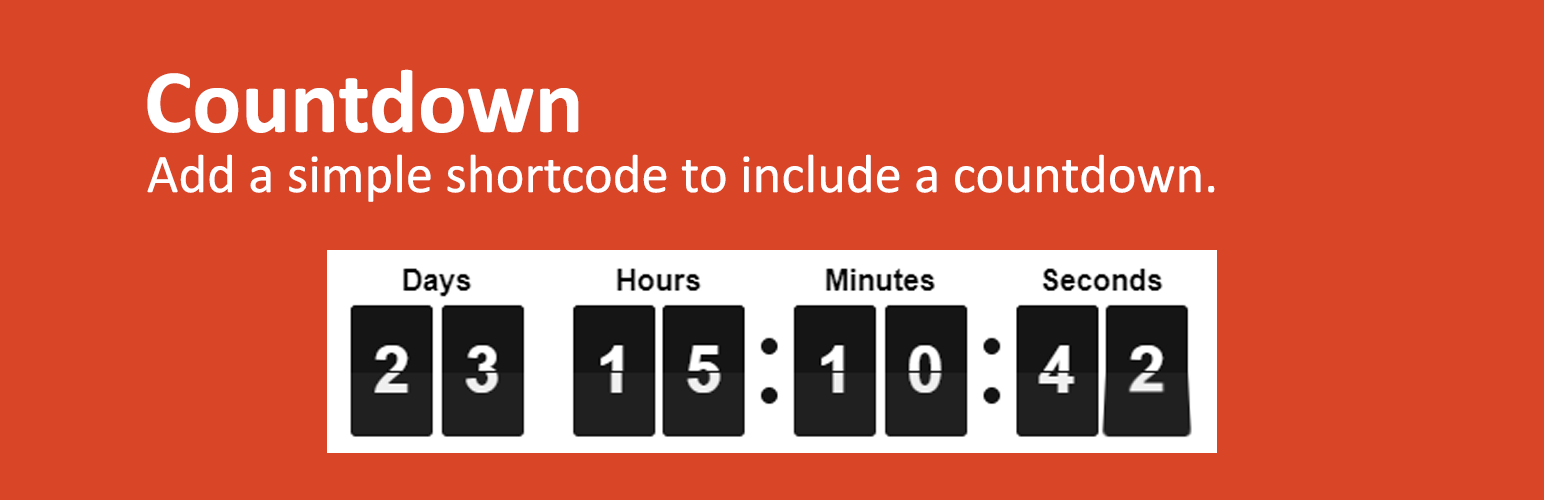
Countdown Timer for WordPress Security & Risk Analysis
wordpress.org/plugins/flipdownThe Countdown Timer is a WordPress plugin that makes it simple to add a countdown timer to your pages or posts.
Is Countdown Timer for WordPress Safe to Use in 2026?
Generally Safe
Score 92/100Countdown Timer for WordPress has no known CVEs and is actively maintained. It's a solid choice for most WordPress installations.
The "flipdown" plugin v1.0.1 exhibits a generally strong security posture based on the provided static analysis. There are no identified dangerous functions, all SQL queries utilize prepared statements, and output escaping is consistently applied. The absence of file operations and external HTTP requests further reduces the attack surface. Importantly, the plugin also has a clean vulnerability history with no recorded CVEs, indicating a lack of known security flaws.
However, the analysis does highlight a couple of areas for improvement. The plugin has a single shortcode, which is the sole entry point identified. While the static analysis states it's unprotected, it's crucial to ensure this shortcode is not susceptible to any form of injection or unintended behavior, even if no explicit vulnerabilities are flagged. Furthermore, the lack of explicit nonce and capability checks, although potentially mitigated by the simple nature of the shortcode's functionality, represents a missed opportunity to implement standard WordPress security practices and could be a concern if the shortcode's functionality were to expand or change in future versions.
In conclusion, "flipdown" v1.0.1 is currently in a good security state with no critical or high-risk findings. The developers have followed good practices regarding SQL and output sanitization. The primary weakness lies in the potential for the single entry point (shortcode) to be more robustly secured with standard WordPress authentication mechanisms, even if no immediate vulnerabilities are apparent. Continued diligence in avoiding vulnerabilities and maintaining code quality will be key for long-term security.
Key Concerns
- Shortcode entry point without explicit auth/nonce checks
Countdown Timer for WordPress Security Vulnerabilities
Countdown Timer for WordPress Release Timeline
Countdown Timer for WordPress Code Analysis
Output Escaping
Countdown Timer for WordPress Attack Surface
Shortcodes 1
WordPress Hooks 2
Maintenance & Trust
Countdown Timer for WordPress Maintenance & Trust
Maintenance Signals
Community Trust
Countdown Timer for WordPress Alternatives

Bilohash Smart Popups
bilohash-smart-popups
Professional multi-popup builder for WordPress with live preview, beautiful templates, advanced triggers and full customization.

Devellux Sales Countdown Timer Builder
devellux-sales-countdown-timer-builder
Install the Sales Countdown Timer Builder plugin for your WooCommerce store.

Heartly – Flash Sales for WooCommerce
heartly-intelligent-commerce
Run flash sales on WooCommerce. Heartly adds countdown timers, checkout redirects, and campaign analytics — no code required.
Countdown Timer Ultimate
countdown-timer-ultimate
A quick, easy way to add and display responsive Countdown timer on your website. Also work with Gutenberg shortcode block.

HurryTimer – An Scarcity and Urgency Countdown Timer for WordPress & WooCommerce
hurrytimer
Create unlimited urgency and scarcity countdown timers for WordPress and WooCommerce to boost conversions and sales instantly.
Countdown Timer for WordPress Developer Profile
2 plugins · 30 total installs
How We Detect Countdown Timer for WordPress
Patterns used to identify this plugin on WordPress sites during automated security audits and web crawling.
Asset Fingerprints
/wp-content/plugins/flipdown/assets/js/flipdown.min.js/wp-content/plugins/flipdown/assets/js/flipdown-for-wordpress.js/wp-content/plugins/flipdown/assets/css/flipdown.min.css../assets/js/flipdown.min.js../assets/js/flipdown-for-wordpress.jsflipdown?ver=flipdown-for-wordpress?ver=flipdown.min.css?ver=HTML / DOM Fingerprints
flipdowndata-datedata-theme<div id='flipdown' class='flipdown'