CSV Import to Table Security & Risk Analysis
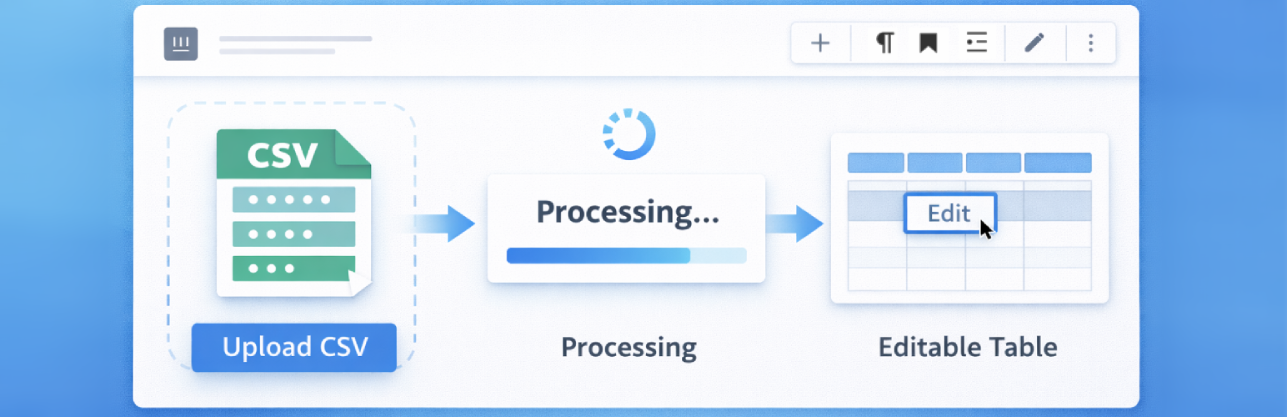
wordpress.org/plugins/csv-import-to-tableImport CSV files and convert them into beautiful, editable tables with a simple Gutenberg block.
Is CSV Import to Table Safe to Use in 2026?
Generally Safe
Score 100/100CSV Import to Table has no known CVEs and is actively maintained. It's a solid choice for most WordPress installations.
The plugin "csv-import-to-table" v1.0.0 exhibits a strong security posture based on the provided static analysis. The absence of any identified AJAX handlers, REST API routes, shortcodes, or cron events significantly limits the plugin's attack surface. Furthermore, the code analysis reveals a commitment to secure coding practices, with no dangerous functions, no direct SQL queries (all using prepared statements), and all output properly escaped. The plugin also avoids file operations and external HTTP requests, further reducing potential vulnerabilities. The lack of any recorded vulnerabilities in its history is a positive indicator, suggesting a mature and well-maintained codebase.
While the plugin demonstrates excellent security by design and implementation, the complete absence of any nonce checks or capability checks is a notable concern. Although the attack surface is currently zero, if any new entry points were to be introduced in future versions without proper authentication and authorization mechanisms, it could expose the plugin to significant risks. The taint analysis showing zero flows with unsanitized paths is reassuring, but it's crucial to remember that this analysis is based on the current code and the absence of observable taint flows does not guarantee future safety without ongoing monitoring and adherence to security best practices.
In conclusion, "csv-import-to-table" v1.0.0 appears to be a highly secure plugin, excelling in secure coding practices and demonstrating a clean vulnerability history. Its minimal attack surface and robust internal security measures are significant strengths. The only area for potential improvement lies in the proactive implementation of nonce and capability checks, even with the current limited attack surface, to ensure continued security as the plugin evolves.
Key Concerns
- Missing nonce checks
- Missing capability checks
CSV Import to Table Security Vulnerabilities
CSV Import to Table Release Timeline
CSV Import to Table Code Analysis
Output Escaping
CSV Import to Table Attack Surface
WordPress Hooks 2
Maintenance & Trust
CSV Import to Table Maintenance & Trust
Maintenance Signals
Community Trust
CSV Import to Table Alternatives

Content Egg – Affiliate Product Importer & Price Comparison
content-egg
Import affiliate products, compare prices, and publish structured product reviews with 25+ editorial Gutenberg blocks — all in one affiliate toolkit.

Flexible Table Block
flexible-table-block
Flexible Table Block is a custom block plugin for the WordPress block editor that allows you to create tables in any configuration.

Table Of Contents Block
table-of-contents-block
Automatically Add Table of Contents Block for your WordPress Posts & Pages

Joli Table Of Contents
joli-table-of-contents
The best Table of Contents plugin for WordPress. Auto or manual insert, Gutenberg Block, beautiful themes, onboarding wizard, and deep customization.

Gutenberg Block for WooCommerce Product Table
block-for-woo-product-table
A WordPress editor block which implements the options found in the WooCommerce Product Table shortcode
CSV Import to Table Developer Profile
1 plugin · 0 total installs
How We Detect CSV Import to Table
Patterns used to identify this plugin on WordPress sites during automated security audits and web crawling.
Asset Fingerprints
/wp-content/plugins/csv-import-to-table/js/block.js/wp-content/plugins/csv-import-to-table/js/block.jscsv-import-to-table/js/block.js?ver=HTML / DOM Fingerprints
wp-block-editable-table<div class="wp-block-editable-table" style="overflow-x:auto; margin: 20px 0;"><table style="width:100%; border-collapse:collapse; border:1px solid #ddd;">