AFB – Auto Form Builder – Embed Forms on Any Website Security & Risk Analysis
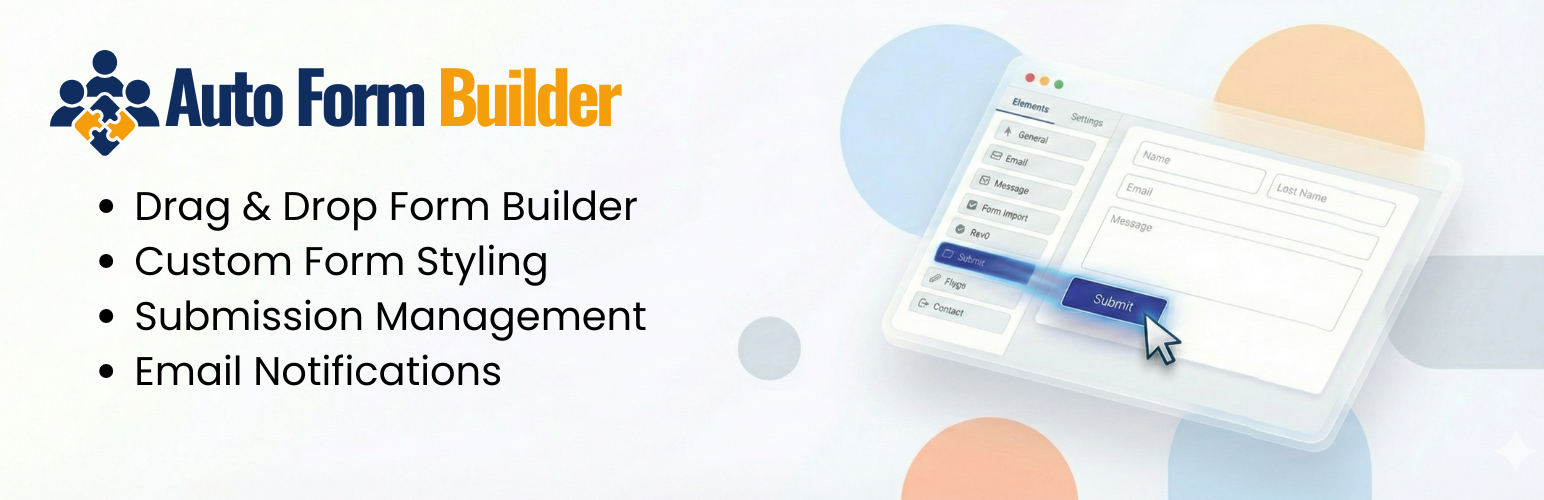
wordpress.org/plugins/auto-form-builderDrag-and-drop form builder with e-signatures, conditional logic, user registration and login, and one-click embedding on any website. Free.
Is AFB – Auto Form Builder – Embed Forms on Any Website Safe to Use in 2026?
Generally Safe
Score 100/100AFB – Auto Form Builder – Embed Forms on Any Website has no known CVEs and is actively maintained. It's a solid choice for most WordPress installations.
The 'auto-form-builder' plugin v1.1.6 exhibits a generally good security posture with a strong emphasis on secure coding practices. The extensive use of prepared statements for SQL queries and proper output escaping for almost all outputs are significant strengths. The plugin also demonstrates a good understanding of WordPress security by incorporating a substantial number of nonce and capability checks. However, there are notable concerns stemming from the attack surface. The presence of 30 AJAX handlers, with 4 of them lacking authentication checks, presents a potential entry point for unauthorized actions if these handlers are not properly secured by other means. Additionally, the taint analysis revealed 2 high-severity flows with unsanitized paths, indicating a risk of potential vulnerabilities if user-supplied data is not strictly validated and sanitized before being used in sensitive operations, particularly in file operations where unsanitized paths can lead to directory traversal or other file system manipulation attacks. The complete absence of any recorded CVEs or past vulnerabilities is a positive sign, suggesting diligent maintenance and a lack of known exploitable flaws. Overall, while the plugin has a strong foundation in secure coding, the identified vulnerabilities in the attack surface and taint analysis require immediate attention to mitigate potential risks.
Key Concerns
- AJAX handlers without auth checks
- High severity unsanitized taint flows
AFB – Auto Form Builder – Embed Forms on Any Website Security Vulnerabilities
AFB – Auto Form Builder – Embed Forms on Any Website Release Timeline
AFB – Auto Form Builder – Embed Forms on Any Website Code Analysis
SQL Query Safety
Output Escaping
Data Flow Analysis
AFB – Auto Form Builder – Embed Forms on Any Website Attack Surface
AJAX Handlers 30
Shortcodes 3
WordPress Hooks 62
Maintenance & Trust
AFB – Auto Form Builder – Embed Forms on Any Website Maintenance & Trust
Maintenance Signals
Community Trust
AFB – Auto Form Builder – Embed Forms on Any Website Alternatives

HT Contact Form – Drag & Drop Form Builder for WordPress
ht-contactform
The easiest drag & drop form builder for WordPress. Create contact forms, surveys, and lead capture forms in minutes with 38+ fields and 21+ integ …

BoldForm – Drag & Drop Form Builder, Contact Form, Survey & Multi-Step Forms
boldform-lite
Lightweight drag-and-drop WordPress form builder — contact forms and more with a shortcode, Gutenberg block, Elementor widget, and email integrations.

GenForm – Drag & Drop Form Builder
genform
The lightweight drag-and-drop form builder for WordPress. Create contact forms, feedback forms, bookings, and more — no coding required.

24TT Unrestricted Forms
24tt-unrestricted-forms
Enterprise-grade, 100% unrestricted form builder. Custom database tables for maximum performance, visual customization, and strict data ownership.

FormsKit Lite
formskit-lite
A feature-rich free form builder for WordPress. 18 field types, conditional logic, entry management, file uploads, and multi-page forms included.
AFB – Auto Form Builder – Embed Forms on Any Website Developer Profile
1 plugin · 100 total installs
How We Detect AFB – Auto Form Builder – Embed Forms on Any Website
Patterns used to identify this plugin on WordPress sites during automated security audits and web crawling.
Asset Fingerprints
/wp-content/plugins/auto-form-builder/assets/css/admin-menu.css/wp-content/plugins/auto-form-builder/assets/css/admin.css/wp-content/plugins/auto-form-builder/assets/css/editor.css/wp-content/plugins/auto-form-builder/assets/css/frontend.css/wp-content/plugins/auto-form-builder/assets/css/global.css/wp-content/plugins/auto-form-builder/assets/css/style.css/wp-content/plugins/auto-form-builder/assets/js/admin-menu.js/wp-content/plugins/auto-form-builder/assets/js/admin.js+8 more/wp-content/plugins/auto-form-builder/assets/js/frontend.js/wp-content/plugins/auto-form-builder/assets/js/frontend/address/address.js/wp-content/plugins/auto-form-builder/assets/js/frontend/address/address-submission.jsauto-form-builder/assets/css/admin-menu.css?ver=auto-form-builder/assets/css/admin.css?ver=auto-form-builder/assets/css/editor.css?ver=auto-form-builder/assets/css/frontend.css?ver=auto-form-builder/assets/css/global.css?ver=auto-form-builder/assets/css/style.css?ver=auto-form-builder/assets/js/admin-menu.js?ver=auto-form-builder/assets/js/admin.js?ver=auto-form-builder/assets/js/editor.js?ver=auto-form-builder/assets/js/frontend.js?ver=auto-form-builder/assets/js/frontend/address/address.js?ver=auto-form-builder/assets/js/frontend/address/address-submission.js?ver=auto-form-builder/assets/js/frontend/frontend.js?ver=auto-form-builder/assets/js/import-export.js?ver=auto-form-builder/assets/js/onboarding.js?ver=auto-form-builder/assets/js/version-manager.js?ver=HTML / DOM Fingerprints
afb-form-editorafb-form-listafb-field-settingsafb-form-previewafb-form-settingsafb-address-field-wrapperafb-form-builder-frontend<!-- Google Fonts --><!-- End Google Fonts --><!-- Placeholder for Add-ons --><!-- End Placeholder for Add-ons -->+20 moredata-afb-field-iddata-afb-field-typedata-afb-form-iddata-afb-form-titledata-afb-is-requireddata-afb-field-label+1 moreauto_form_builder_ajax_urlauto_form_builder_nonceafb_editor_settingsafb_frontend_settingsafb_address_settings/wp-json/auto-form-builder/v1/forms/wp-json/auto-form-builder/v1/forms/(?P<id>[\d]+)/wp-json/auto-form-builder/v1/settings/wp-json/auto-form-builder/v1/submissions/wp-json/auto-form-builder/v1/submissions/(?P<id>[\d]+)<div class="afb-form-container" data-form-id="<form id="afb-form-<label class="afb-label" for="<input type="text" name="