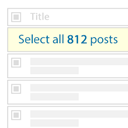
Bulk Actions Select All
bulk-actions-select-all
Adds an option to the admin posts and terms overview pages to select all items (instead of just the ones on the current page) to apply bulk actions.

Default Image Settings
default-image-settings
Change default settings for image size, link to and align for images inserted into posts. Allows you to remove the link on images by default.

Developer Mode
developer-mode
Limit access to the WordPress admin panel for your clients. Block functionality like updating plugins and viewing menu items for administrators, while …

Advanced Bulk Actions
bulk-actions
Supercharge the WordPress admin panel with additional bulk actions to manage your content

Admin Columns – Icons Add-on
admin-columns-icons-addon
Use icons instead of text labels in column headers on post, user, media and other admin pages. Extension for Admin Columns.

User Hierarchy
user-hierarchy
Control user management on a per-role basis. Allow users of a certain role to only add, edit or delete users from specific other roles.

Debug Bar – Sidebars & Widgets
debug-bar-sidebars-widgets
Debug Bar extension that adds information about the sidebars and widgets on the current page. Integrates with Content Aware Sidebars plugin.

OptionTree Extension: Gravity Forms
optiontree-extension-gravity-forms
Adds Option Tree fields for linking Gravity Forms to Option Tree, allowing you to select a specific form for an option.
Check plugin security before you install.
Every plugin gets the full treatment — vulnerabilities, code analysis, real-world exposure, and a transparent score breakdown.